Observation Scheduling
Efficient observation scheduling for any telescope is a challenge. This is an assignment problem for which a series of tasks, each with its own constraints, needs to be planned.
Computationnaly, this is a NP-hard problem: a solution is easy to verify (i.e., it can be done in a polynomial number of steps) but it is difficult to solve/find the optimal solution (i.e., possibly involving an exponential number of steps). Let’s assume that a planning consists of \(n_{\rm slots}\) time slots. Without any prior, the number of combinations \(N_c\) to fit \(k_{\rm obs}\) observations in this planning would be:
\(N_c\) becomes gigantic quickly. As an example, let’s consider \(k_{\rm obs} = 20\) observations to schedule over 30 days. Each day is divided with a 1-hour granularity, implying \(n_{\rm slots} = 30 \times 24 = 720\) time slots. These are low numbers compared to reality, and nonetheless amount to \(N_c = 10^{57}\) observation combinations to check for.
To solve this problem, nenupy offers the schedule module, which provides heuristic algorithms to reduce the number of checks to perform.
In addition, a dedicated genetic algorithm has been developped in order to further optimize the observation scheduling for NenuFAR.
The schedule module consists of many different objects definitions that are needed to be loaded:
>>> from nenupy.schedule import (
>>>     Schedule,
>>>     ObsBlock,
>>>     ReservedBlock,
>>>     ESTarget,
>>>     SSTarget,
>>>     Constraints,
>>>     ElevationCnst,
>>>     AzimuthCnst,
>>>     MeridianTransitCnst,
>>>     LocalTimeCnst,
>>>     TimeRangeCnst
>>> )
Other useful packages are loaded as well:
>>> from astropy.time import Time, TimeDelta
>>> import astropy.units as u
Schedule object
The framework object governing observation scheduling is Schedule.
The arguments time_min and time_max define the planning time range edges.
dt is the time granularity, or the time slot duration, at which the observations will be scheduled.
>>> schedule = Schedule(
>>>     time_min=Time('2021-01-11 00:00:00'),
>>>     time_max=Time('2021-01-15 00:00:00'),
>>>     dt=TimeDelta(3600, format='sec')
>>> )
>>> schedule.plot(days_per_line=2)
A Schedule can be displayed with the plot(), for quick visualization of its status.
The time slots are separated by vertical lines.
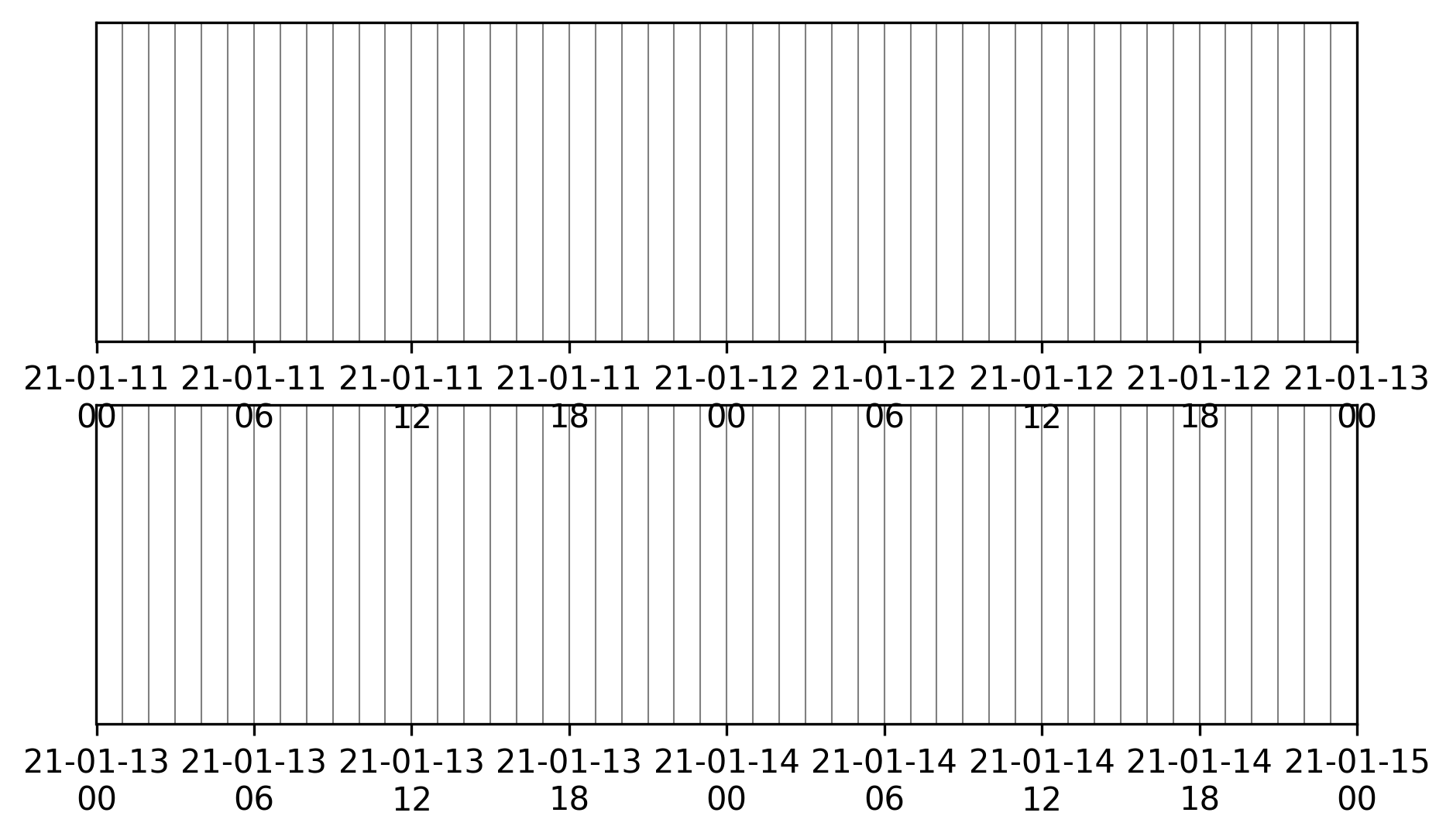
Empty planning.
Warning
The number of time slots, resulting from time_min, time_max and dt values, highly impacts the computing time.
Reserved time slots
For some reason, some time slots within the Schedule may be unavailable for observation programming (because of telescope maintenance, other observations already booked, …).
To represent this, a ReservedBlock instance can be created and inserted in the schedule using the insert method:
>>> schedule = Schedule(
>>>     time_min=Time('2021-01-11 00:00:00'),
>>>     time_max=Time('2021-01-15 00:00:00'),
>>>     dt=TimeDelta(3600, format='sec')
>>> )
>>> maintenance = ReservedBlock(
>>>     time_min=Time('2021-01-12 05:00:00'),
>>>     time_max=Time('2021-01-13 16:00:00')
>>> )
>>> schedule.insert(maintenance)
>>> schedule.plot(days_per_line=2)
The schedule visualization displays such reserved blocks as hatched grey time windows.
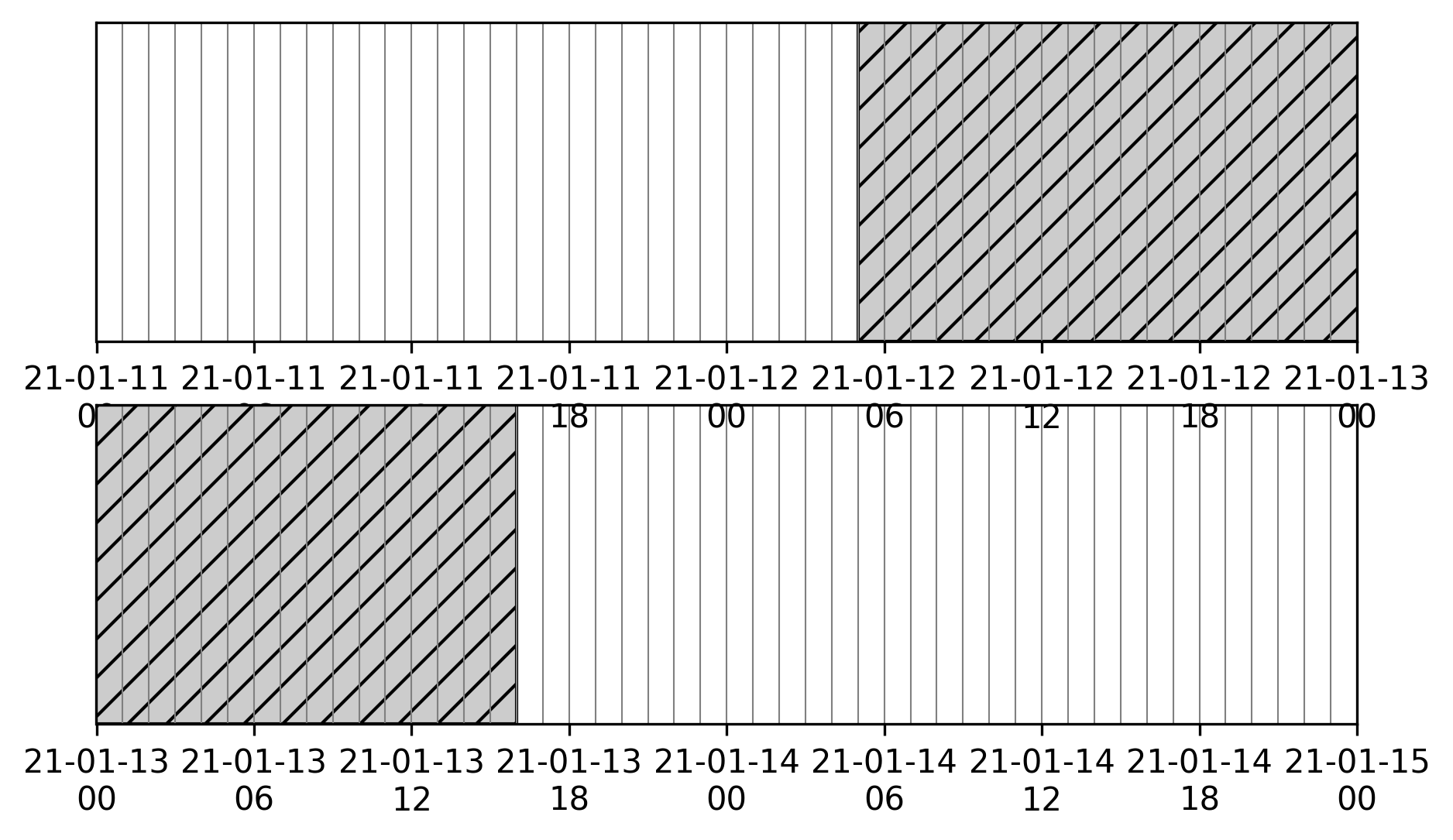
Empty planning with a reserved block inserted.
The reverse operation can also be perfomed thanks to the set_free_slots() method which sets the whole schedule as unavailable except for the time intervals given as inputs:
>>> schedule = Schedule(
>>>     time_min=Time('2021-01-11 00:00:00'),
>>>     time_max=Time('2021-01-15 00:00:00'),
>>>     dt=TimeDelta(3600, format='sec')
>>> )
>>> schedule.set_free_slots(
>>>     start_times=Time(['2021-01-12 10:00:00', '2021-01-14 08:32:00']),
>>>     stop_times=Time(['2021-01-13 03:30:00', '2021-01-15 00:00:00'])
>>> )
Virtual Control Room bookings
NenuFAR time allocation is made thanks to time windows booking attribution to a given scientific project.
If one wants to schedule observations outside of these booking periods, the current booking can be dwonloaded through the VCR planning as a CSV file.
This file can then be used to instantiates a ReservedBlock object via the from_VCR method.
>>> schedule = Schedule(
>>>     time_min=Time('2021-11-15 00:00:00'),
>>>     time_max=Time('2021-11-20 00:00:00'),
>>>     dt=TimeDelta(3600, format='sec')
>>> )
>>> reserved = ReservedBlock.from_VCR(file_name=".../2021-11-12_booking.csv")
>>> schedule.insert(reserved)
>>> schedule.plot(days_per_line=1)
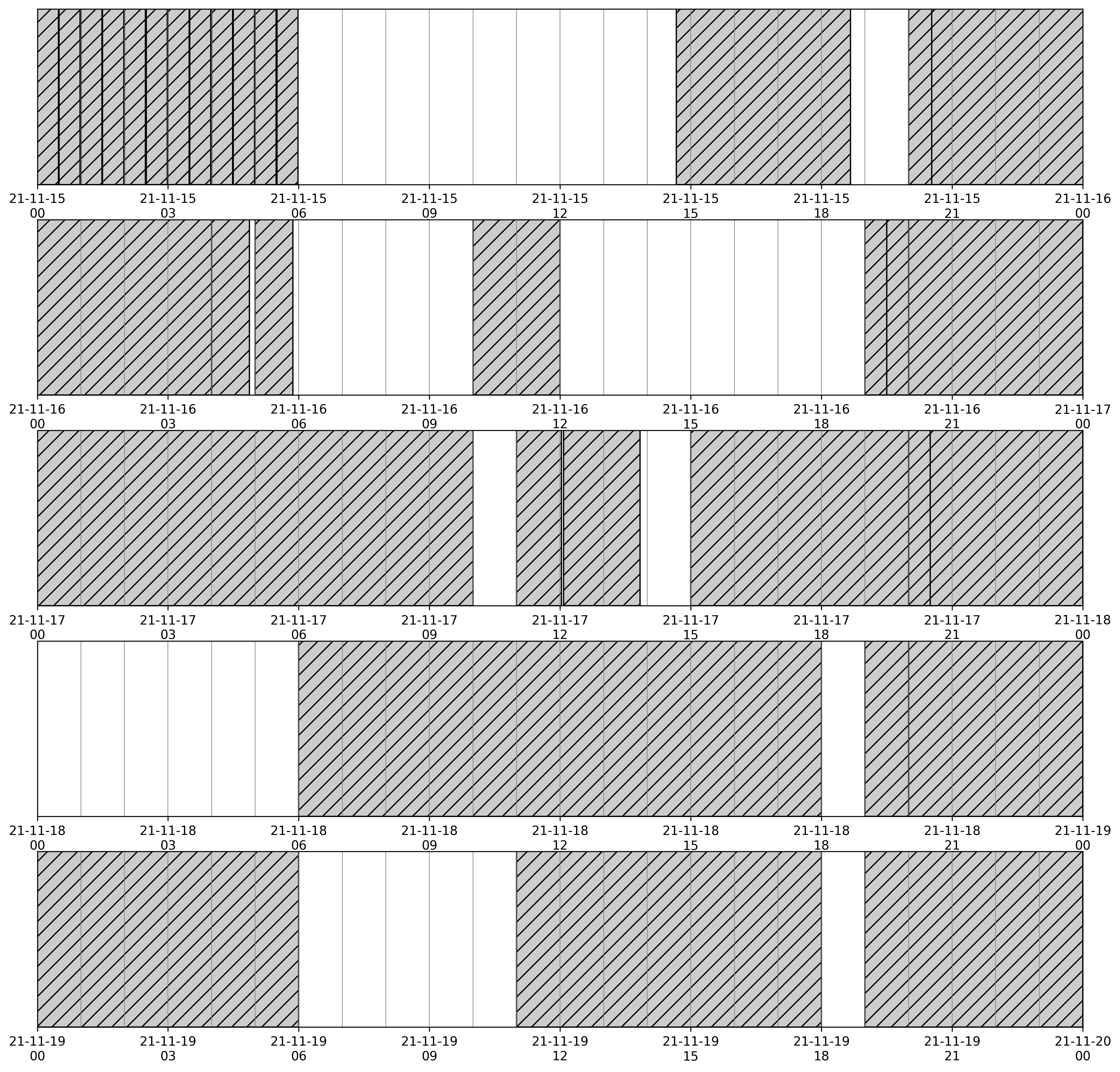
Five-days NenuFAR planning for which all the active allocated time as been set as ‘unavailable for further observation planning’.
The same file can also be used to globally set the schedule slots to unavailable except those belonging to a given Science Key Project.
The method match_booking() allows one to define a schedule that matches the time slots allocated to a NenuFAR KP.
Observation request
Once the global planning configuration has been set, the user may define the observations to schedule.
Observation block
Observation requests are defined as ObsBlock instances.
Later, they will be distributed efficiently in the schedule while taking into account observing constraints.
A minimal set of parameters are required during an ObsBlock instantiation:
the
nameof the observation, for further reference,the NenuFAR scientific
program,a celestial target (either fixed
ESTargetin the equatorial grid or from the Solar SystemSSTarget),the requested
durationof the observation.
>>> vira = ObsBlock(
>>>     name='Virgo A',
>>>     program='es00',
>>>     target=ESTarget.fromName('Vir A'),
>>>     duration=TimeDelta(3600, format='sec')
>>> )
Note
Observation blocks will be booked in the schedule according to their duration on an integer number of time slots defined by dt.
Combining observation blocks
ObsBlock objects accept + and * operations.
This enable observation block requests to be appended and duplicated, respectively.
Note, that it is computationnaly more efficient to use the duplicate block option (*) instead of creating an other block with the same target and constraints.
>>> vira = ObsBlock(
>>>     name='Virgo A',
>>>     program='es00',
>>>     target=ESTarget.fromName('Vir A'),
>>>     duration=TimeDelta(3600, format='sec'),
>>> )
>>> cyga = ObsBlock(
>>>     name='Cyg A',
>>>     program='es00',
>>>     target=ESTarget.fromName('Cyg A'),
>>>     duration=TimeDelta(3600, format='sec'),
>>> )
>>> my_observations = vira*2 + cyga*3
Observation constraints
Automatic scheduling of astronomical observations relies on the definition of constraints that govern identification of optimal time periods to observe a given celestial target.
The different classes implemented in the constraints module allow for an easy way of specifying these constraints.
Available constraints
Each Constraint object is callable and requires an argument of type ESTarget or SSTarget in order to evaluate the constraint’s ‘score’ over a given time range.
Available constraints are:
|
Elevation constraint |
|
Meridian Transit constraint |
|
|
|
|
|
|
|
|
|
Adding constraints
>>> vira = ObsBlock(
>>>     name='Virgo A',
>>>     program='es00',
>>>     target=ESTarget.fromName('Vir A'),
>>>     duration=TimeDelta(3600, format='sec'),
>>>     constraints=Constraints(ElevationCnst(elevationMin=10))
>>> )
>>> constraints = Constraints(ElevationCnst(10), MeridianTransitCnst())
>>> vira = ObsBlock(
>>>     name='Virgo A',
>>>     program='es00',
>>>     target=ESTarget.fromName('Vir A'),
>>>     duration=TimeDelta(3600, format='sec'),
>>>     constraints=constraints
>>> )
Evaluating contraints on a schedule
>>> schedule = Schedule(
>>>     time_min=Time('2021-11-15 00:00:00'),
>>>     time_max=Time('2021-11-19 00:00:00'),
>>> )
>>> vira = ObsBlock(
>>>     name='Virgo A',
>>>     program='es00',
>>>     target=ESTarget.fromName('Vir A'),
>>>     duration=TimeDelta(3600*4, format='sec'),
>>> )
>>> schedule.insert(vira)
>>> schedule.book( optimize=False )
>>> schedule.observation_blocks[0].constraints.plot()
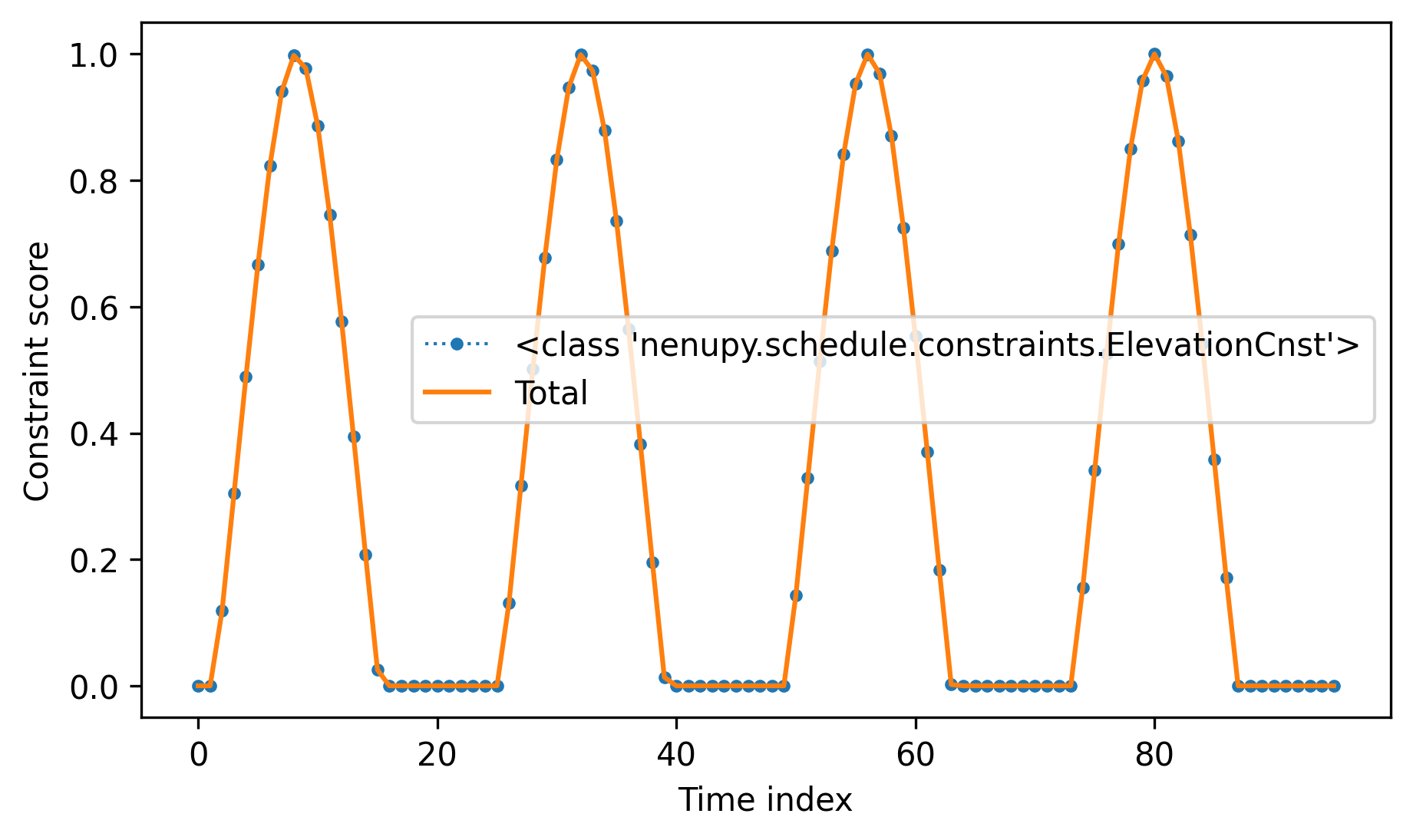
TBW.
>>> schedule = Schedule(
>>>     time_min=Time('2021-11-15 00:00:00'),
>>>     time_max=Time('2021-11-19 00:00:00'),
>>> )
>>> vira = ObsBlock(
>>>     name='Virgo A',
>>>     program='es00',
>>>     target=ESTarget.fromName('Vir A'),
>>>     duration=TimeDelta(3600*4, format='sec'),
>>>     constraints=Constraints(ElevationCnst(20), AzimuthCnst(100))
>>> )
>>> schedule.insert(vira)
>>> schedule.book( optimize=False )
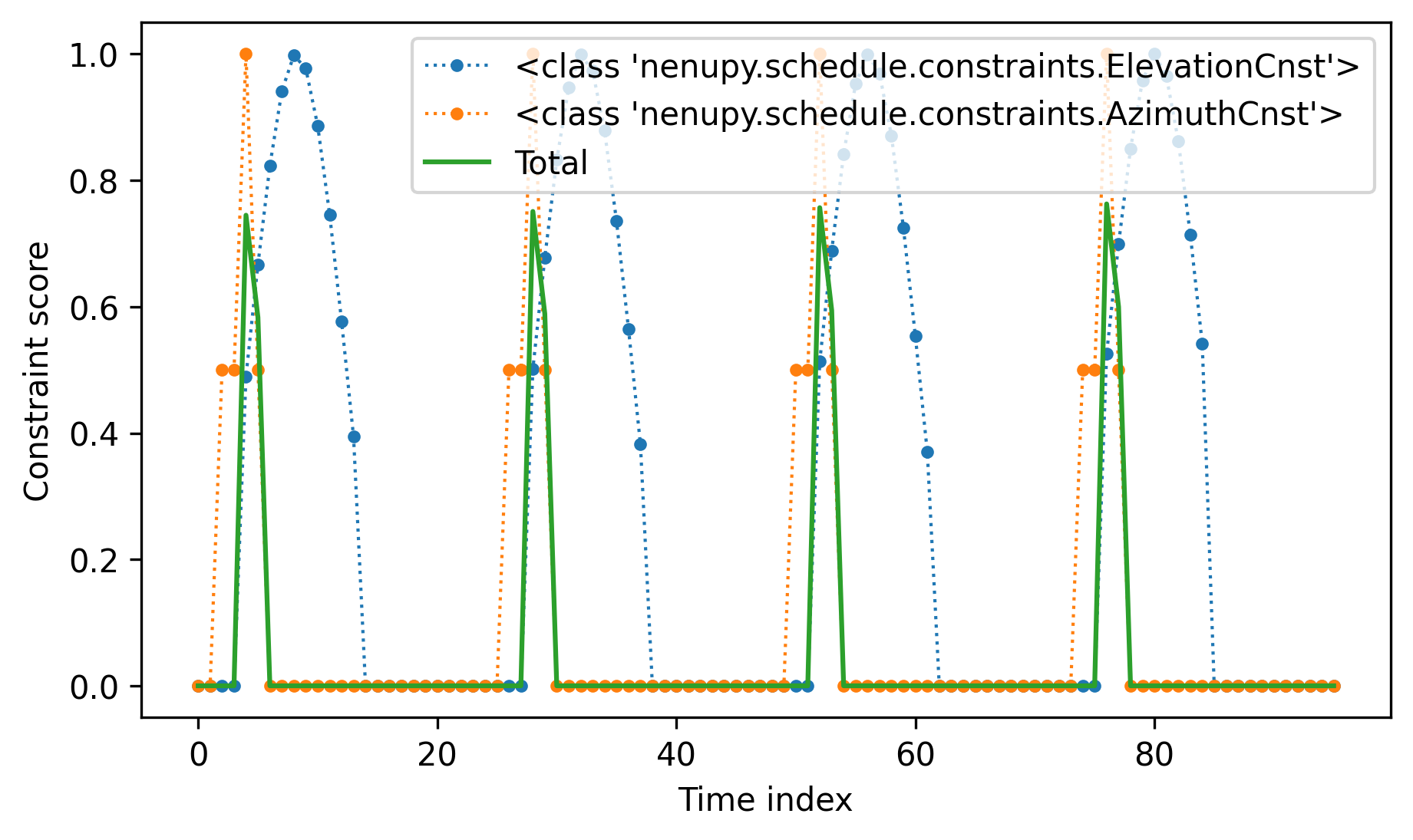
TBW.
>>> schedule.plot(days_per_line=2)
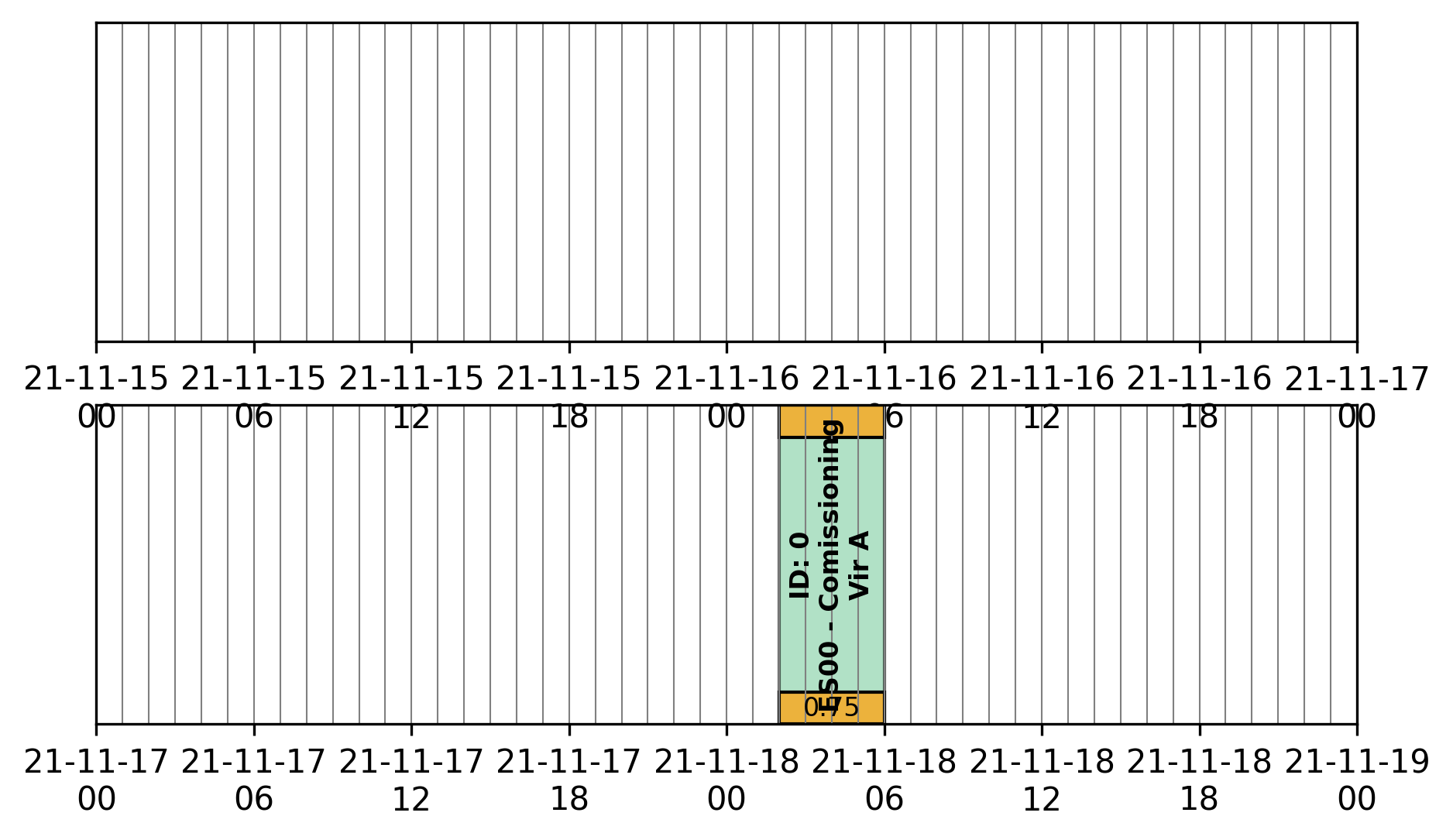
TBW.
>>> schedule.observation_blocks[0].plot()
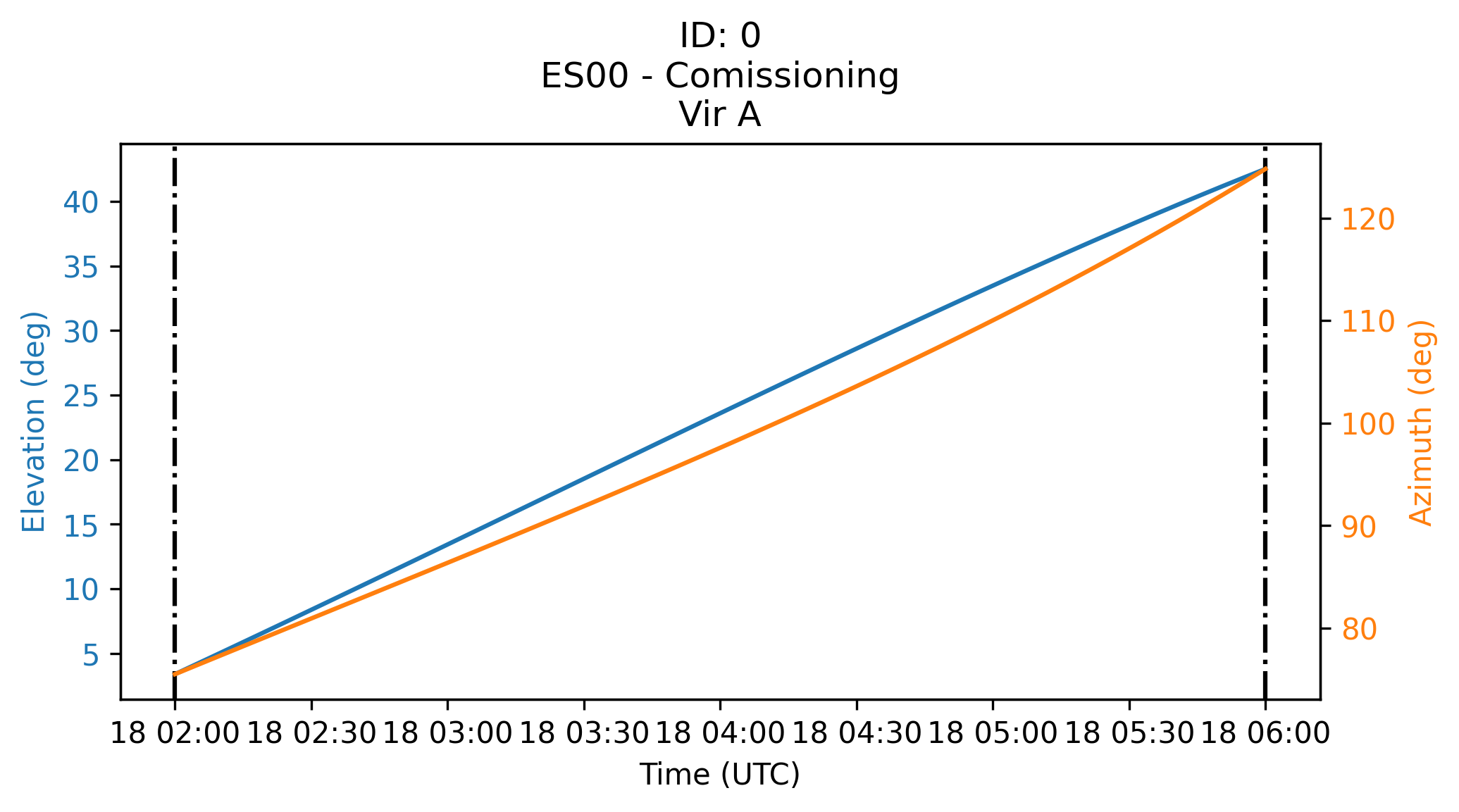
TBW.
Scheduling in practice
>>> schedule = Schedule(
>>>     time_min=Time('2021-11-17 00:00:00'),
>>>     time_max=Time('2021-11-18 00:00:00'),
>>>     dt=TimeDelta(60*30, format='sec')
>>> )
>>> sun = ObsBlock(
>>>     name='Sun observation',
>>>     program='es11',
>>>     target=SSTarget.fromName('Sun'),
>>>     duration=TimeDelta(2*3600, format='sec'),
>>>     constraints=Constraints( ElevationCnst(elevationMin=12) )
>>> )
>>> schedule.insert(
>>>     ReservedBlock(
>>>         time_min=Time('2021-11-17 08:00:00'),
>>>         time_max=Time('2021-11-17 10:00:00')
>>>     )
>>> )
Deterministic algorithm
>>> schedule.insert(sun)
>>> schedule.book( optimize=False )
>>> schedule.plot()
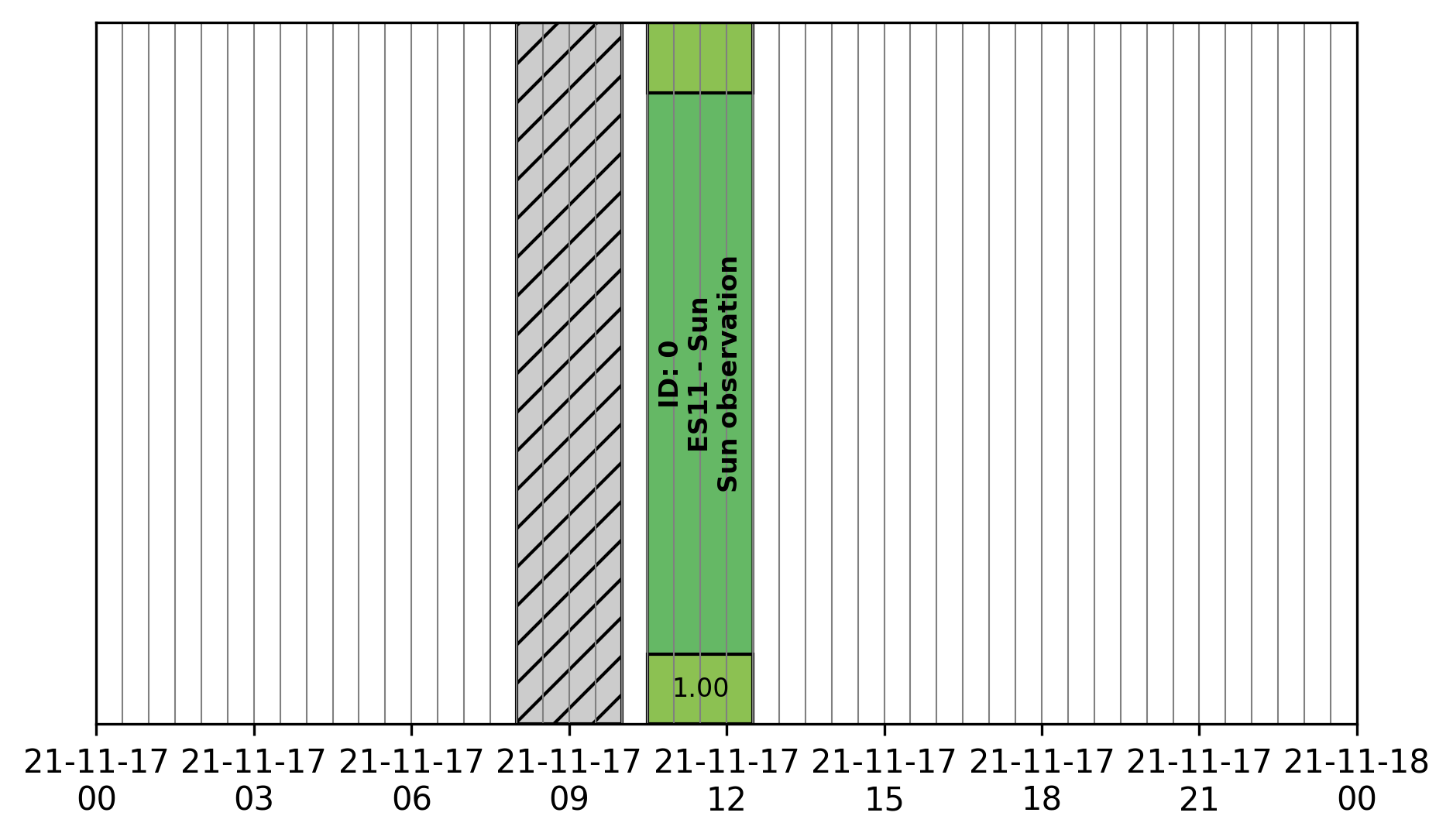
TBW.
>>> schedule.insert(sun * 2)
>>> schedule.book( optimize=False )
>>> schedule.plot()
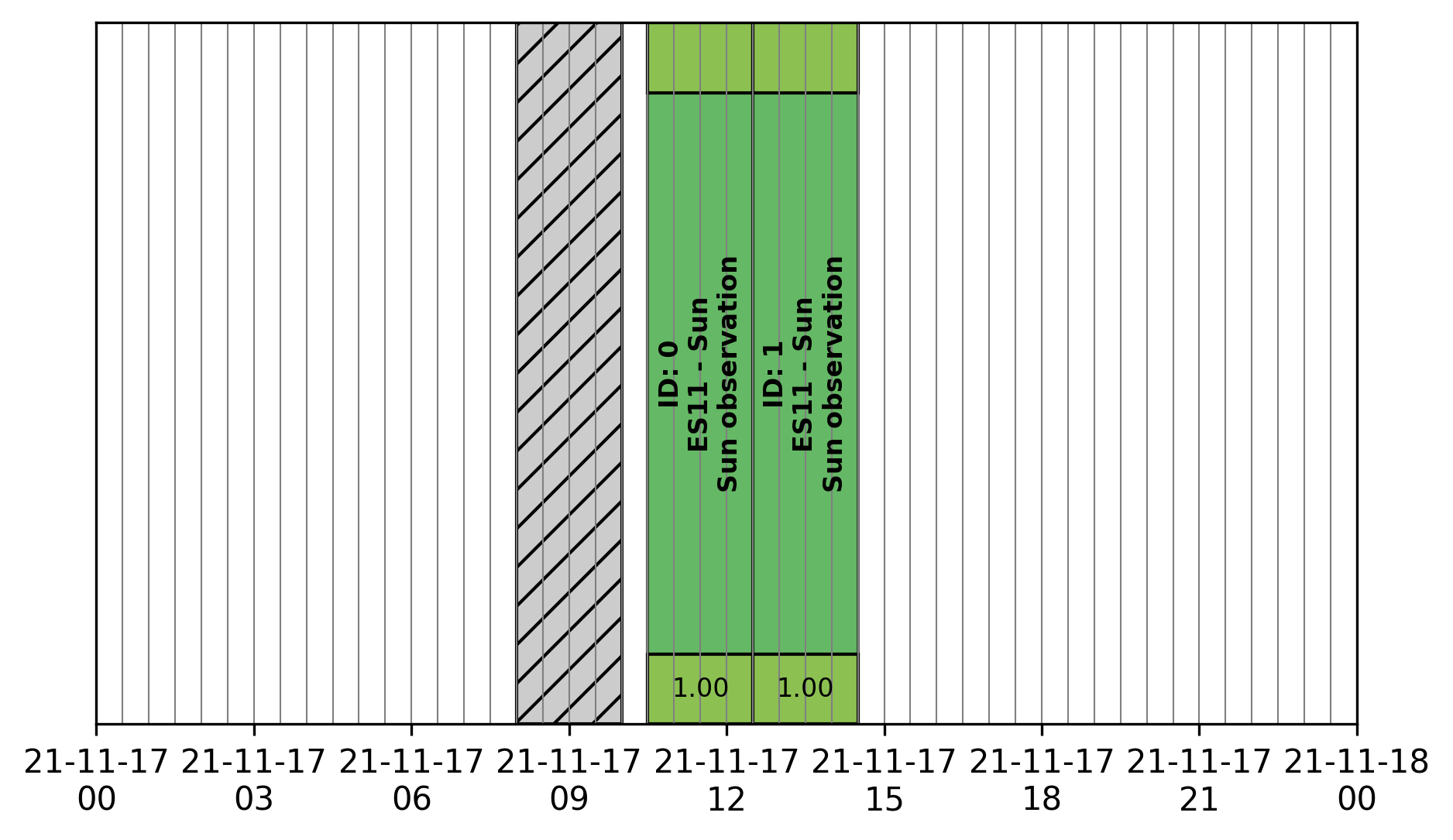
TBW.
>>> schedule.insert(sun * 3)
>>> schedule.book( optimize=False )
>>> schedule.plot()
2021-11-13 12:24:55 | INFO: Evaluating observation block constraints over the schedule...
2021-11-13 12:24:55 | INFO: 3 observation blocks have been successfully evaluated.
2021-11-13 12:24:55 | INFO: Fitting 3 observation blocks...
2021-11-13 12:24:55 | WARNING: <ObsBlock> #2 'Sun observation' cannot be scheduled.
2021-11-13 12:24:55 | INFO: 2/3 observation blocks scheduled (0 impossible to fit).
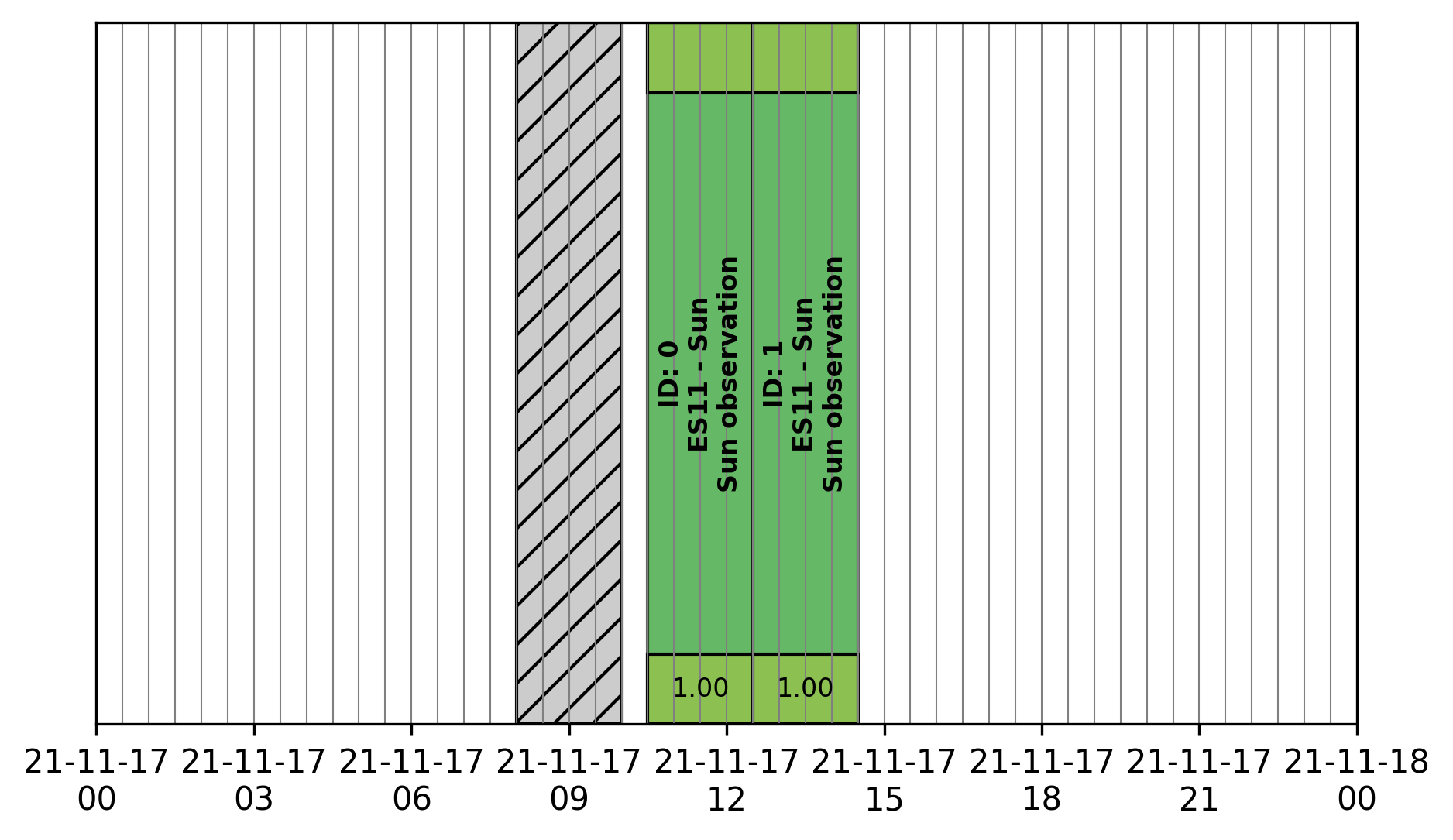
TBW.
Genetic algorithm
>>> schedule.insert(sun * 3)
>>> schedule.book( optimize=True )
>>> schedule.plot()
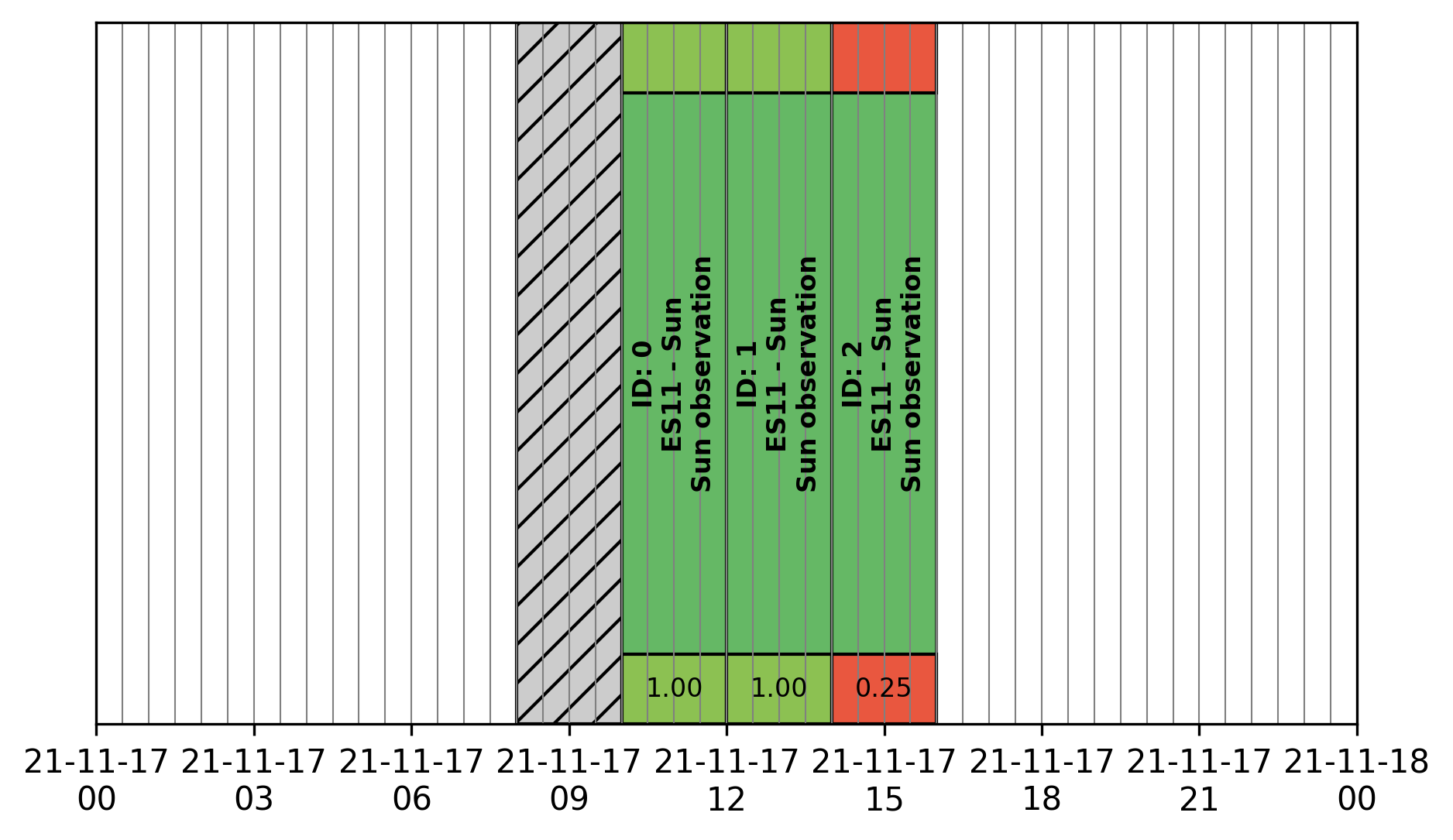
TBW.
>>> from astropy.coordinates import Angle
>>> schedule = Schedule(
>>>     time_min=Time('2021-11-17 00:00:00'),
>>>     time_max=Time('2021-11-18 00:00:00'),
>>>     dt=TimeDelta(10*30, format='sec')
>>> )
>>> cas_a = ObsBlock(
>>>     name="Cas A",
>>>     program="ES10",
>>>     target=ESTarget.fromName("Cas A"),
>>>     duration=TimeDelta(2*3600, format='sec'),
>>>     constraints=Constraints(LocalTimeCnst(
>>>         hMin=Angle(18, unit="h"),
>>>         hMax=Angle(9, unit="h"))
>>>     )
>>> )
>>> ncp = ObsBlock(
>>>     name="NCP",
>>>     program="ES01",
>>>     target=ESTarget.fromName("North Celestial Pole"),
>>>     duration=TimeDelta(4*3600, format='sec'),
>>>     constraints=Constraints(LocalTimeCnst(
>>>         hMin=Angle(20, unit="h"),
>>>         hMax=Angle(6, unit="h"))
>>>     )
>>> )
>>> pulsar = ObsBlock(
>>>     name="PSR J0953+0755",
>>>     program='es03',
>>>     target=ESTarget.fromName("PSR J0953+0755"),
>>>     duration=TimeDelta(40*60, format='sec'),
>>>     constraints = Constraints(
>>>         ElevationCnst(0),
>>>         TimeRangeCnst(
>>>             time_min=Time('2021-11-17 05:00:00'),
>>>             time_max=Time('2021-11-17 09:00:00')),
>>>         MeridianTransitCnst())
>>> )
>>> pulsars = pulsar * 2
>>> mars = ObsBlock(
>>>     name="Mars",
>>>     program="ES06",
>>>     target=SSTarget.fromName("Mars"),
>>>     duration=TimeDelta(1.5*3600, format='sec'),
>>>     constraints=Constraints( MeridianTransitCnst() )
>>> )
>>> jupiter = ObsBlock(
>>>     name="Jupiter",
>>>     program="ES07",
>>>     target=SSTarget.fromName("Jupiter"),
>>>     duration=TimeDelta(2*3600, format='sec'),
>>>     constraints=Constraints( MeridianTransitCnst() )
>>> )
>>> sun = ObsBlock(
>>>     name="Sun",
>>>     program="ES11",
>>>     target=SSTarget.fromName("Sun"),
>>>     duration=TimeDelta(2*3600, format='sec'),
>>>     constraints=Constraints( ElevationCnst(10), MeridianTransitCnst() )
>>> )
>>> cyg_x3 = ObsBlock(
>>>     name="Cyg X-3",
>>>     program="ES04",
>>>     target=ESTarget.fromName("Cyg X-3"),
>>>     duration=TimeDelta(1.5*3600, format='sec'),
>>>     constraints=Constraints( MeridianTransitCnst() )
>>> )
>>> my_observations = cas_a + ncp  + cyg_x3 + jupiter + mars + sun + pulsars
>>> schedule.insert(my_observations)
>>> ga = schedule.book(
>>>     optimize=True, # Computes the booking using the GA algorithm
>>>     population_size=100, # Number of individuals per generation
>>>     generation_max=1000, # Stops the evolution after 1000 generations
>>>     max_stagnating_generations=-1, # Stops the evolution if the best score has not increased over N gen.
>>>     score_threshold=1., # Stops the evolution if the best score is above this value
>>>     random_individuals=10, # Adds individuals with random genomes at each generation
>>>     crossover='TPCO', # Defines the cross-over method
>>>     selection='TNS' # Defines the parent selection method
>>> )
>>> schedule.plot(
>>>     figsize=(10, 4),
>>>     figname="/Users/aloh/Documents/GitHub/nenupy/docs/_images/obs_images/genetic_big.png"
>>> )
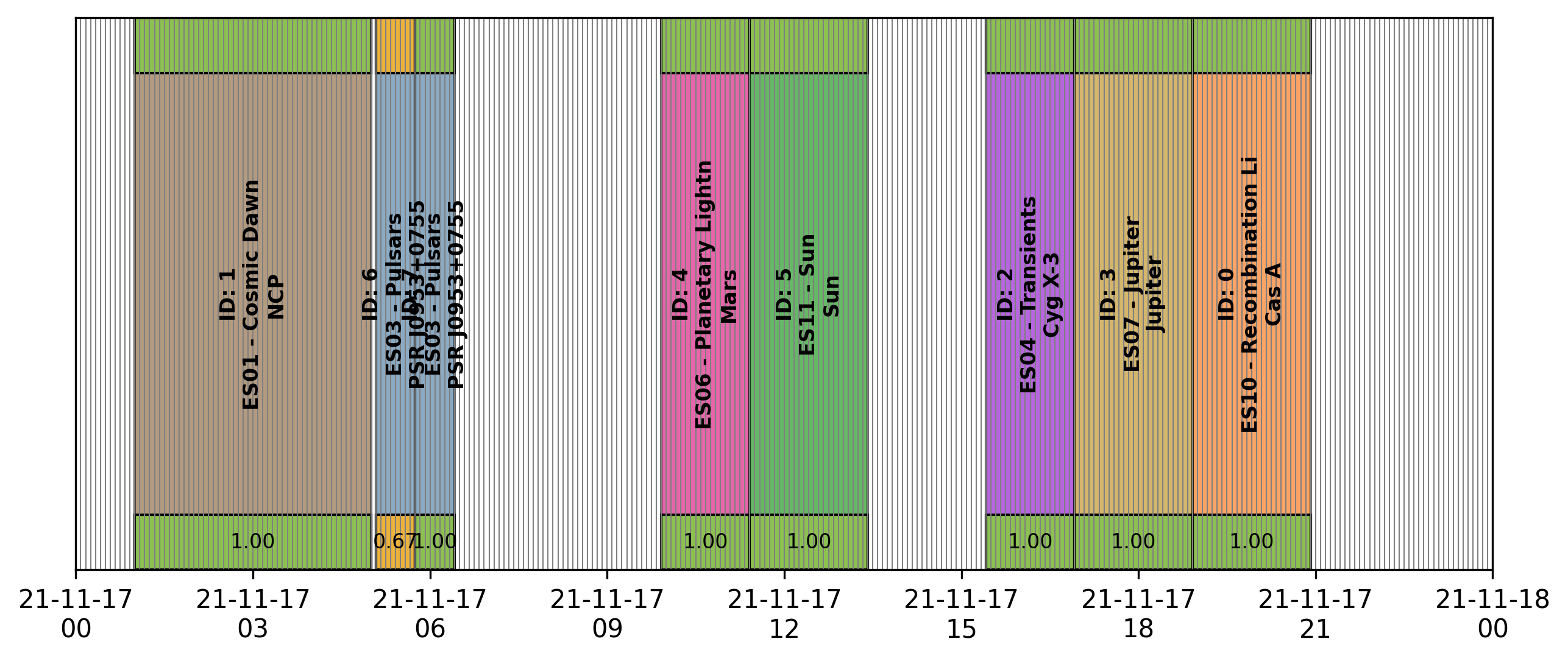
TBW.
>>> ga.plot()
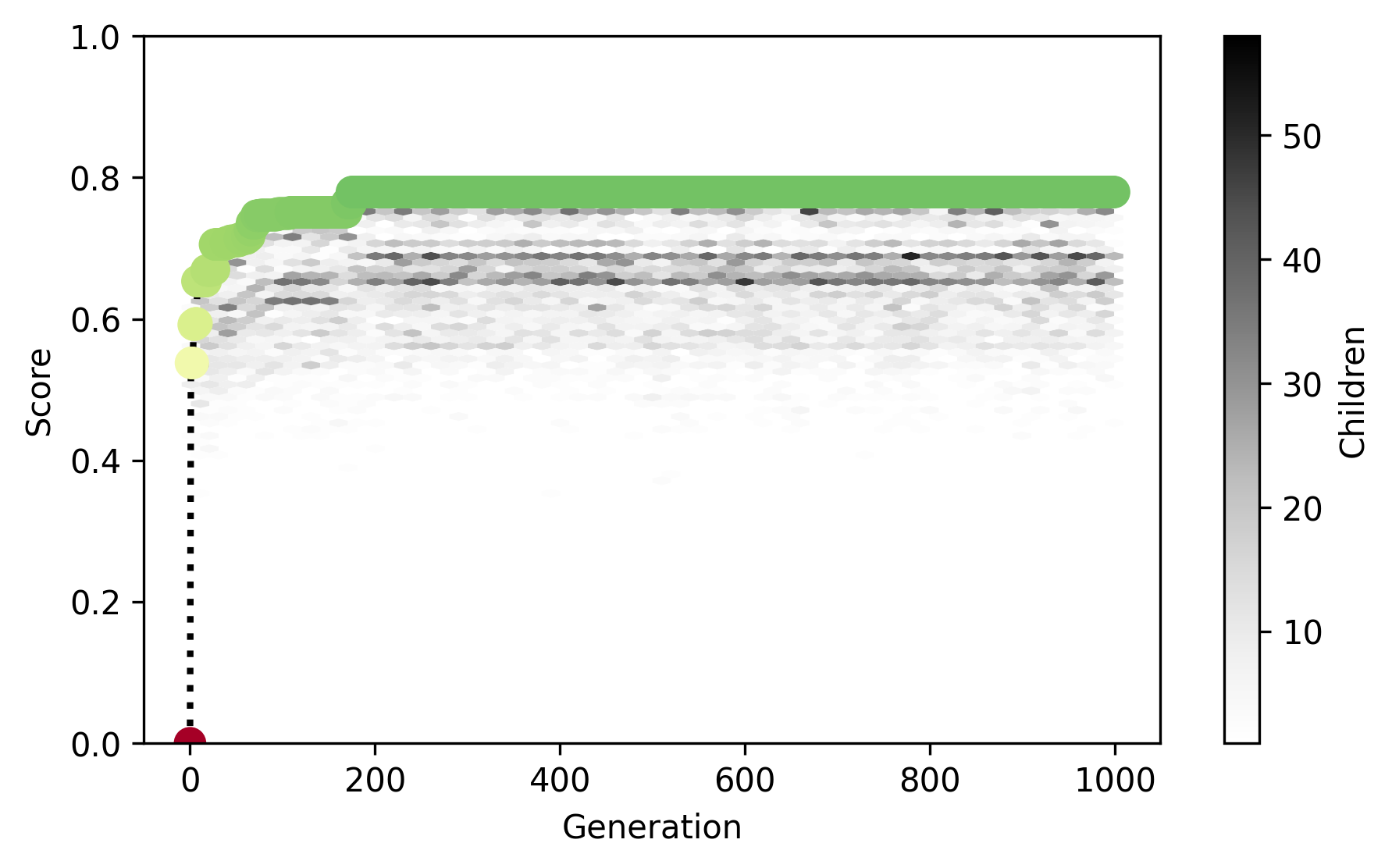
TBW.
Schedule export
>>> schedule.export()
Table length=8
obsid   name             program   start                     stop                      score
int64   str14            str4      object                    object                    float64
1       NCP              es01      2021-11-17T01:00:00.000   2021-11-17T05:00:00.000   1.0
6       PSR J0953+0755   es03      2021-11-17T05:05:00.000   2021-11-17T05:45:00.000   0.666
7       PSR J0953+0755   es03      2021-11-17T05:45:00.000   2021-11-17T06:25:00.000   1.0
4       Mars             es06      2021-11-17T09:55:00.000   2021-11-17T11:25:00.000   1.0
5       Sun              es11      2021-11-17T11:25:00.000   2021-11-17T13:25:00.000   1.0
2       Cyg X-3          es04      2021-11-17T15:25:00.000   2021-11-17T16:55:00.000   1.0
3       Jupiter          es07      2021-11-17T16:55:00.000   2021-11-17T18:55:00.000   1.0
0       Cas A            es10      2021-11-17T18:55:00.000   2021-11-17T20:55:00.000   1.0